Android 10+
Keep the texts.
Lose the calls.
No Calls rejects voice calls before your phone rings. Messages, data, maps and every other app carry on.
3 days free · then from $0.99/month · Android 10+
For focus, digital detox, filming, gaming, and kiosk screens.
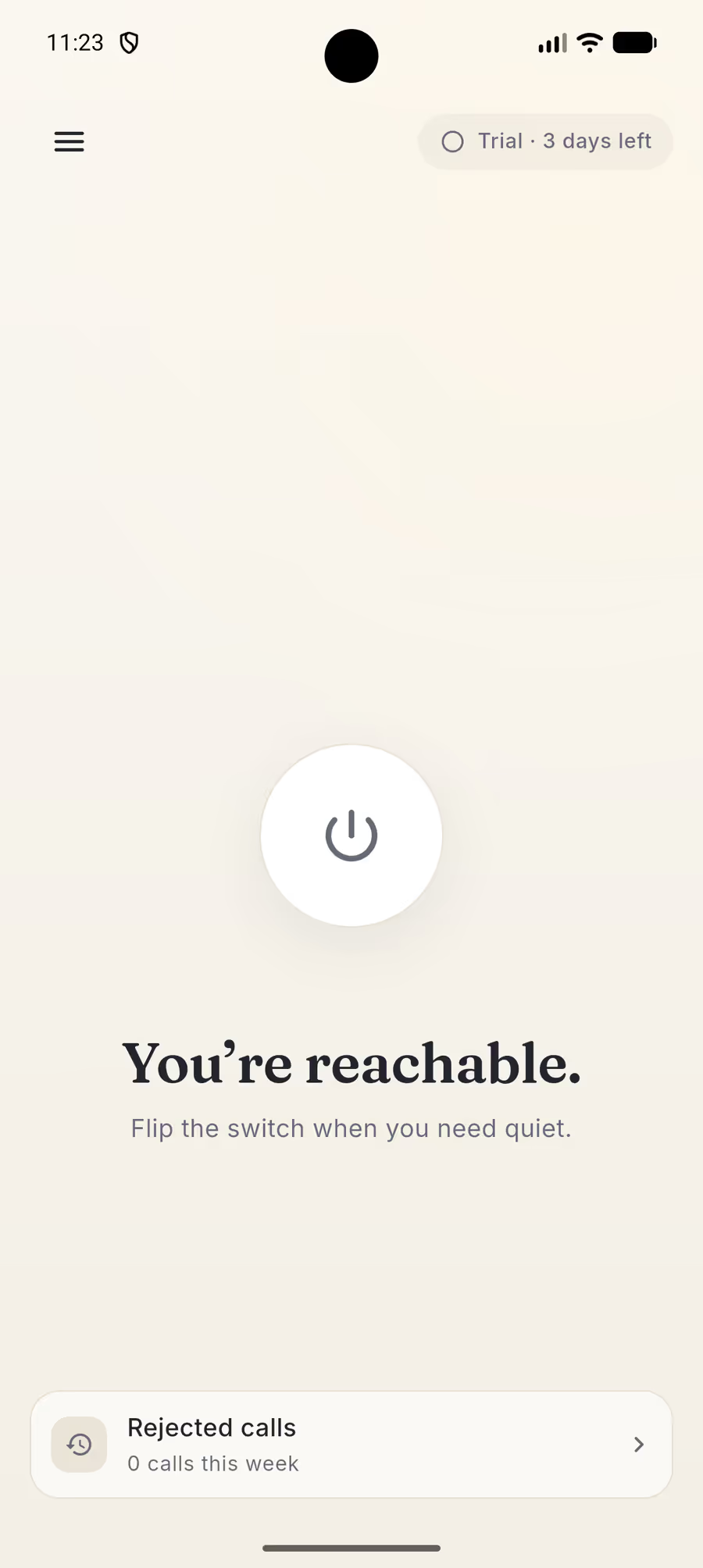
Try the control. The room changes with it.
Do Not Disturb silences your phone.
The call still goes through.
Your caller sits listening to a ringtone for thirty seconds before it drops into voicemail. They have no idea you are not there. No Calls uses Android's official call screening service to stop the call outright, in milliseconds — so nobody is left hanging, and your phone never lights up.
Quiet is useful in more than one room.
No Calls is a boundary tool first. It also makes Android devices better at the moments when a call is the one interruption you cannot afford.
-
Focus & productivity
A phone that might ring is a phone you are half-listening to. Quiet mode removes the possibility, not just the sound.
-
Digital detox
Step away from live interruptions without disappearing. Messages, maps, music and data remain available when you choose them.
-
Kiosk & display tablets
A menu, schedule or dashboard should never light up with a call. The screen keeps doing the one job you gave it.
-
Filming & livestreaming
A call can end a take or interrupt a stream. Quiet mode stops the interruption before the call overlay ever appears.
-
A kid’s first phone
Let family ring through while strangers wait. Texts, maps and music keep working, with no account and no tracking.
One tap. Instant quiet.
No modes. No schedules. No setup to get wrong. There is one control and it is the biggest thing on the screen — press it when you need the room to go quiet, press it again when you don't.
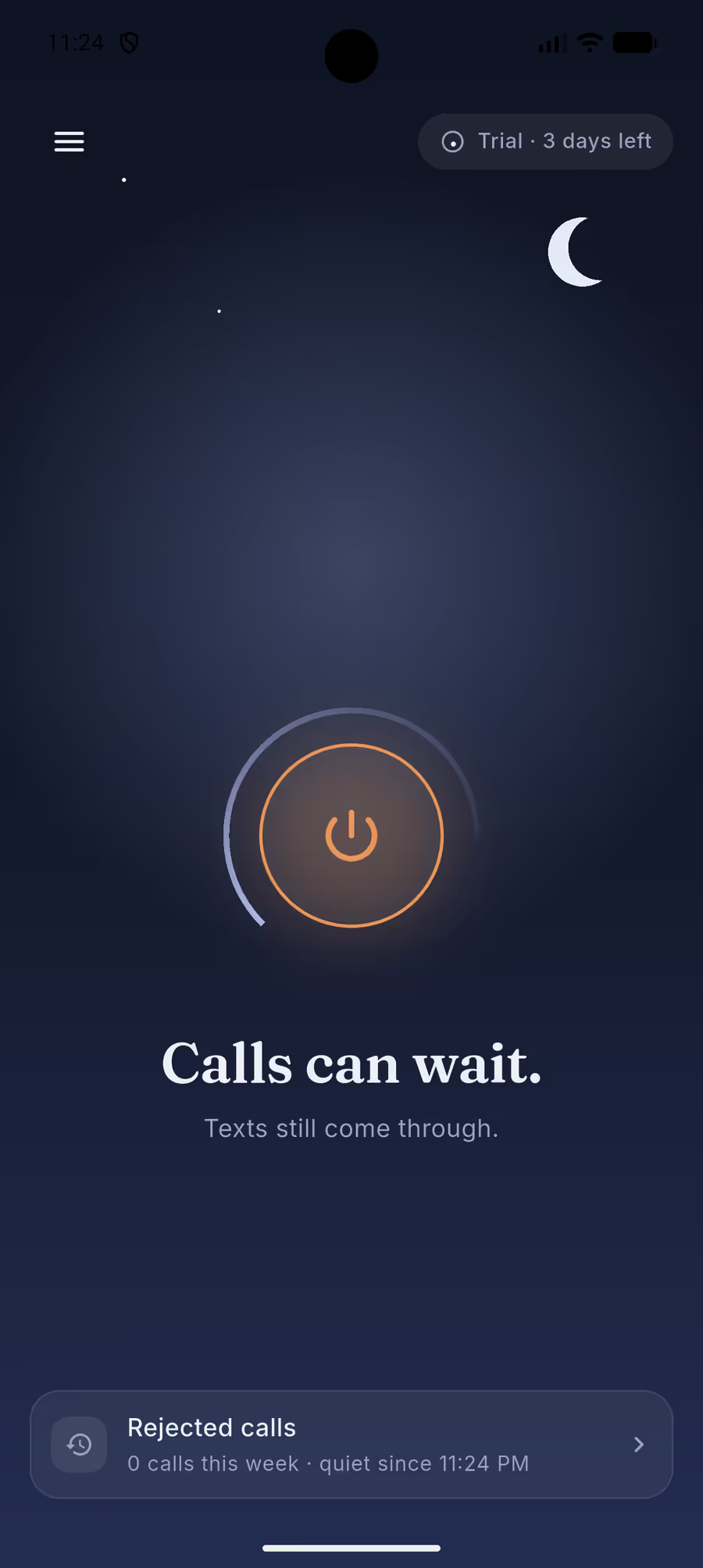
Texts still get through.
This is not airplane mode. SMS, MMS, mobile data and every app on your phone carry on exactly as before. The only thing that stops is the ringing.
Except the ones that matter.
Add the school, the babysitter, your family. Their calls ring straight through while everyone else waits — so going quiet never means going unreachable to the people who count.
While quiet mode is on
- Mum Always gets through
- Fern Hill School Always gets through
- Unknown number Rejected
- 0800 555 0142 Rejected
See every call you skipped.
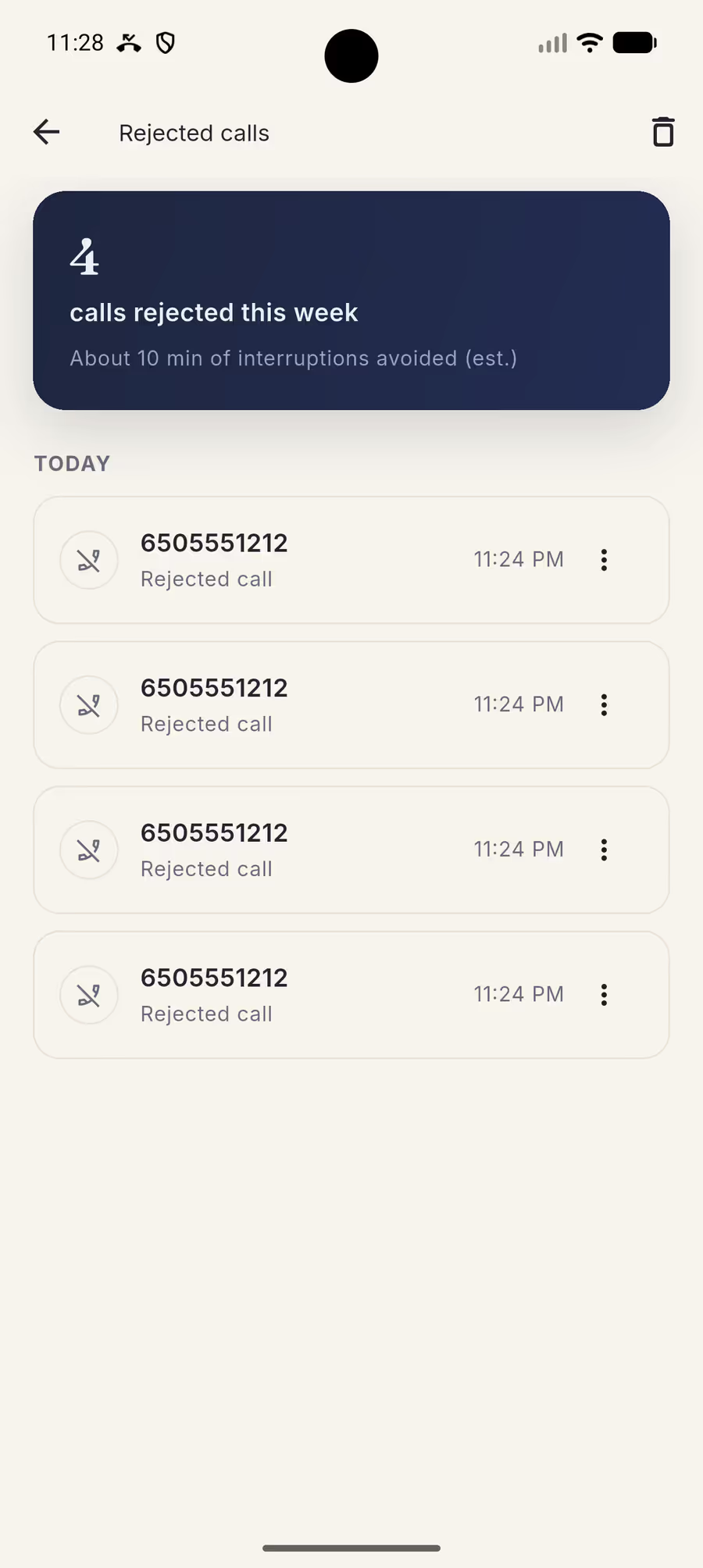
Every rejected call is logged with the time it came in, plus a weekly tally of the hours it gave back. Check it whenever you like. You will never wonder what you missed.
Nothing leaves your phone.
Incoming numbers are compared on your device and never uploaded. There is nowhere for them to go.
-
No account
Nothing to sign up for. Nothing to log in to.
-
No server
Numbers are checked on your device, never sent.
-
No internet
It works fully offline, with no SIM data at all.
Then why does it ask for contacts?
One narrow technical reason, and it is not the one you would expect. From Android 12 onward, Android only hands a call to a screening app if that app holds contacts permission — without it, calls from people in your address book bypass screening entirely and ring through.
The permission changes which calls Android passes over, not what the app looks at. No Calls never reads, lists, indexes or uploads your contact list. It sees an incoming phone number, exactly as it does for a stranger.
Decline it and everything else still works. Calls from your saved contacts will simply ring.
- Requires
- Android 10 and up
- Account
- None
- Connection
- Works offline
- Languages
- 12
- Ads
- None, ever
Start with 3 quiet days, free.
No account, no card. Choose a month, about one coffee a year, or pay once.
-
Monthly
$0.99 /month
Try it for a month.
-
Yearly
One coffee / year$4.99 /year
Best value — under 42¢ a month.
-
Lifetime
$29.99 once
Pay once. Keep it.
Hate subscriptions? Lifetime is one payment. Restore it on compatible devices signed into the same Google Play account.
If your trial ends or you cancel, calls simply come through again. Nothing breaks, and your texts were never affected either way.
Questions people actually ask.
Does Do Not Disturb block incoming calls?
No. Do Not Disturb silences your phone — it does not stop the call. The call still connects on the network, your caller still hears a ringtone for around thirty seconds, and it still lands in voicemail. Nothing about the call is prevented; only your ringer is. No Calls works at a different layer: it uses Android's call screening service to reject the call outright, so it never rings at either end.
Can I still receive text messages?
Yes, and this is the whole point. No Calls only ever acts on incoming voice calls. SMS, MMS, RCS, mobile data, Wi-Fi and every app on your phone are completely untouched. Your messages arrive exactly as they always have, with the same notifications, while quiet mode is on.
Is this the same as airplane mode?
No. Airplane mode disconnects you from the network entirely, so you lose texts, data and everything else along with the calls. No Calls leaves you fully connected and removes one thing: the ringing. You stay reachable by message while being unreachable by phone.
What does the caller hear when a call is rejected?
The call ends immediately rather than ringing out. On most carriers the caller is sent straight to voicemail, and on some they hear a short busy tone. Either way they are not left listening to thirty seconds of ringing first, which is what happens with Do Not Disturb.
Can I let certain people through?
Yes. Add anyone to your "Always gets through" list and their calls ring normally while everyone else is rejected. It is built for the short list that actually matters — family, the school, your boss, a carer. Adding someone uses Android's own contact picker, which hands the app the single entry you chose and nothing else.
Does No Calls upload my contacts or call history?
No. Everything happens on your device. Incoming numbers are checked locally and never transmitted, your rejected-call history lives in a local database you can clear at any time, and your contact list is never read, indexed or uploaded. The app works with no internet connection at all, which is the simplest proof that nothing is being sent anywhere.
Why does it ask for contacts permission?
For one narrow technical reason that is not the one you would expect. From Android 12 onward, Android only hands a call to a screening app if that app holds contacts permission — otherwise calls from people in your address book bypass screening entirely and ring through. The permission changes which calls Android passes over; it does not change what the app looks at. Decline it and everything else still works, but calls from saved contacts will ring.
Why don't rejected calls show up in my phone app?
Because they were rejected before your phone app ever saw them. Android's screening response tells the system to skip both the notification and the native call log, which is what stops your phone lighting up. That is exactly why No Calls keeps its own list: open it whenever you like and see every call you missed, with a weekly tally of the time it gave back.
Does it work without an internet connection?
Yes, completely. There is no account, no server and no sync. Call screening is handled entirely on your device by Android itself, so No Calls works in airplane mode, on a plane, in a basement, or on a phone with no SIM data at all.
What happens when my trial ends?
Calls simply come through again. Nothing breaks, nothing is deleted, and your texts were never affected either way. The free trial runs for three quiet days with no account and no card, and if you later cancel a subscription the app just stops rejecting calls.
Is there an iPhone version?
No, and there cannot be one that works this way. iOS gives apps no equivalent of Android's CallScreeningService, so no third-party app on iPhone can reject an incoming call before it rings. No Calls is Android only, and that is a platform limit rather than a roadmap item.
Calls can wait.
Texts still come through.
3 days free · Android 10 and up · No account